
Mollie add-on include translation files for Dutchm, German and French language. If your website/user is in any of these lanaguges, you will see the admin and the front-end already translated.
1. Activate Mollie for HBook as payment gateway
-
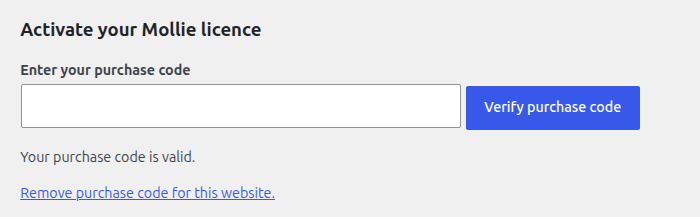
Once you have activated Mollie for HBook plugin, you need to validate the licence in HBook > Licence.
-
Set Mollie as active payment gateways in HBook > Payment > Active payment gateways.
2. In HBook, add Mollie credentials
-
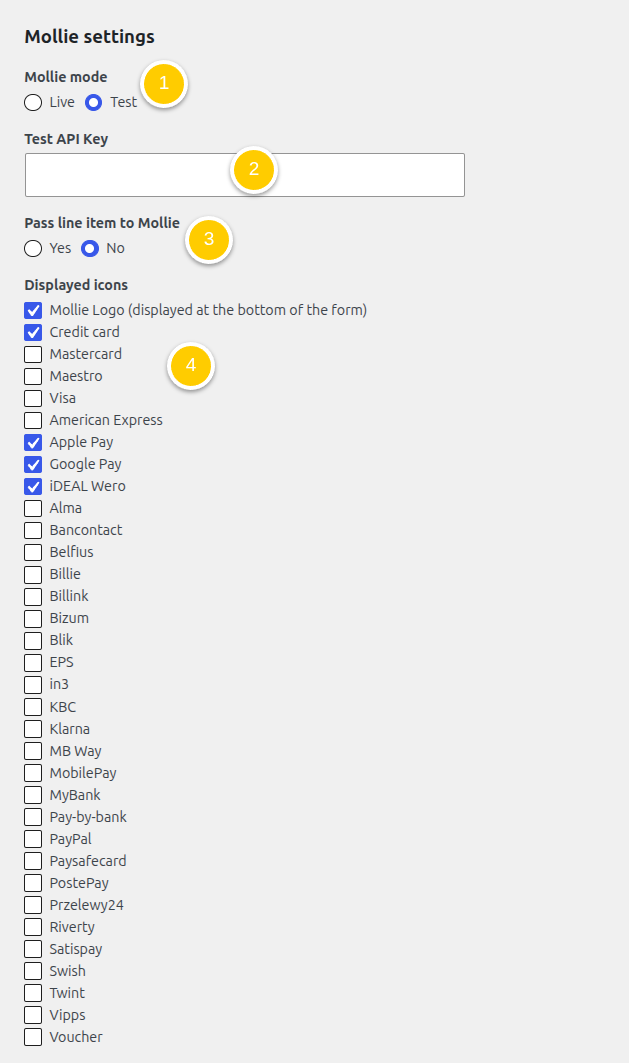
You will need to add the following information in HBook > Payment > Mollie settings.
-
Set Mollie Environment.
-
Add your API Key. The API is specific to each environment.
-
Indicate if you wish to pass the order line item to Mollie. It is required for specific payment methods to pass the line item. If you do not use any of the methods that require this parameter, you can set it to “No”.
It is required to pass order line items for the following payment methods:billie, billink, in3, klarna, riverty and voucher.
-
Select the icons you wish to display. Payment methods are enabled directly in your Mollie dashboard. This setting is only for the icons to be displayed by HBook before the “Book now” button.
The text displayed by HBook for Mollie payment can be modified in HBook > Text/Translations > Mollie payment.
Where to modify the description provided to Mollie?
You can modify this description in HBook > Text/Translations > External payment description.
A description is passed to Mollie for every order. If you set “Pass line item to Mollie” to “Yes”, this description will appear twice, as the main cart description and the line item description.
Where to find the API Keys?
You will find them in the menu Developers of your Mollie dashboard. See Mollie help article.
Which payment methods available on Mollie are supported by HBook?
Please find below the list of payment methods you can activate and that will work with HBook:
-
Credit cards and debit cards
-
Apple Pay and Google Pay
-
iDEAL, Wero
-
Bancontact, Belfius, KBC, EPS, TWINT, BLIK, Bizum, Satispay, MB WAY, Swish, Vipps, MobilePay, Paysafecard
-
Pay by Bank
-
Klarna, in3, Riverty, Billie, Alma
Payment methods with potential delayed response
The following methods are supported, but please take into account that there may be a delay before the payment status is transmitted by Mollie.
We recommend increasing the default delay before a reservation is automatically deleted, and inform your customers that they will receive the email confirmation once the payment status is confirmed.
-
Vouchers
-
Billink
-
Przelewy24
-
MyBank
-
PayPal
We recommend using the PayPal option already included in HBook.
Payment methods that require passing line item
-
Billie
-
Billink
-
in3
-
Riverty
-
Voucher
If you wish to enable any of these payment methods, make sure to adjust the setting “Pass line item to Mollie” to “Yes”.
Payment methods not supported
-
SEPA Bank Transfer
-
SEPA Direct Debit
-
BACS Direct Debit
-
Multibanco
For bank transfer, we recommend using the “Offline payment” method offered by HBook.
Where can I find the Test cards?
You can check test cards that can be used for Mollie “Test” environment here.
Please note that you ccannottest Mollie in localhost or with a “Coming soon” or “Maintenance” plugin. See this help article from Mollie.