
Using Elementor with our themes
Please keep in mind that our themes are not Elementor themes. You can use Elementor with Adomus or Lavilla, and it will not conflict, but you'll have to choose, for each page, whether you want to use:
-
Elementor builder to build the page (you do not wish to include Adomus/Lavilla sections for this page)
-
Adomus or Lavilla sections to construct your page. You can include some content build with Elementor by using the “Editor content” section.
Page built with Elementor only
If you do not wish to use our theme sections, and build the entire page content with Elementor, you will set “Use Adomus sections”/ “Use Lavilla sections” to “No”:
Page built with our themes sections
If you create a page with Adomus or Lavilla sections, set “Use Adomus sections”/“Use Lavilla sections” to “Yes”.
Step by step to insert Elementor content
If you would like to insert content build with Elementor, you will use the section “Editor content”. You can either work on this “Elementor” content within the same page, or use the content created in a different “Elementor” page.
Use the current page Elementor content
You can display the content of the current page Editor. To create the “Elementor” content you wish to display, you will have to:
-
Switch “Use Adomus sections”/“Use Lavilla sections” to “No”.
-
Edit with Elementor.
-
Switch back “Use Adomus sections”/“Use Lavilla sections” to “Yes”
-
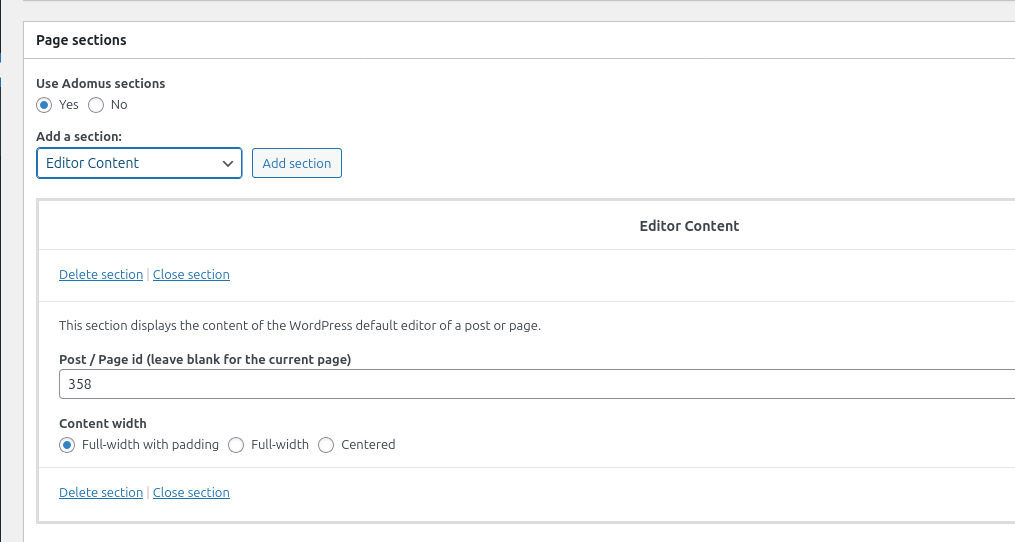
Add the “Editor content” section. You will leave the field Post/Page ID blank.
Use another page Elementor content with Adomus:
You can display the content of a different page built with Elementor.
-
Create your content with Elementor in a new Page or Post for which you will set “Use Adomus sections” to “No”. Take note of the Page ID.
-
Back on your page built with Adomus sections, add the “Editor content” section. You will indicate the ID of the Post/Page ID where your Elementor content is.
Use another page Elementor content with Lavilla:
You can display the content of a different page built with Elementor.
-
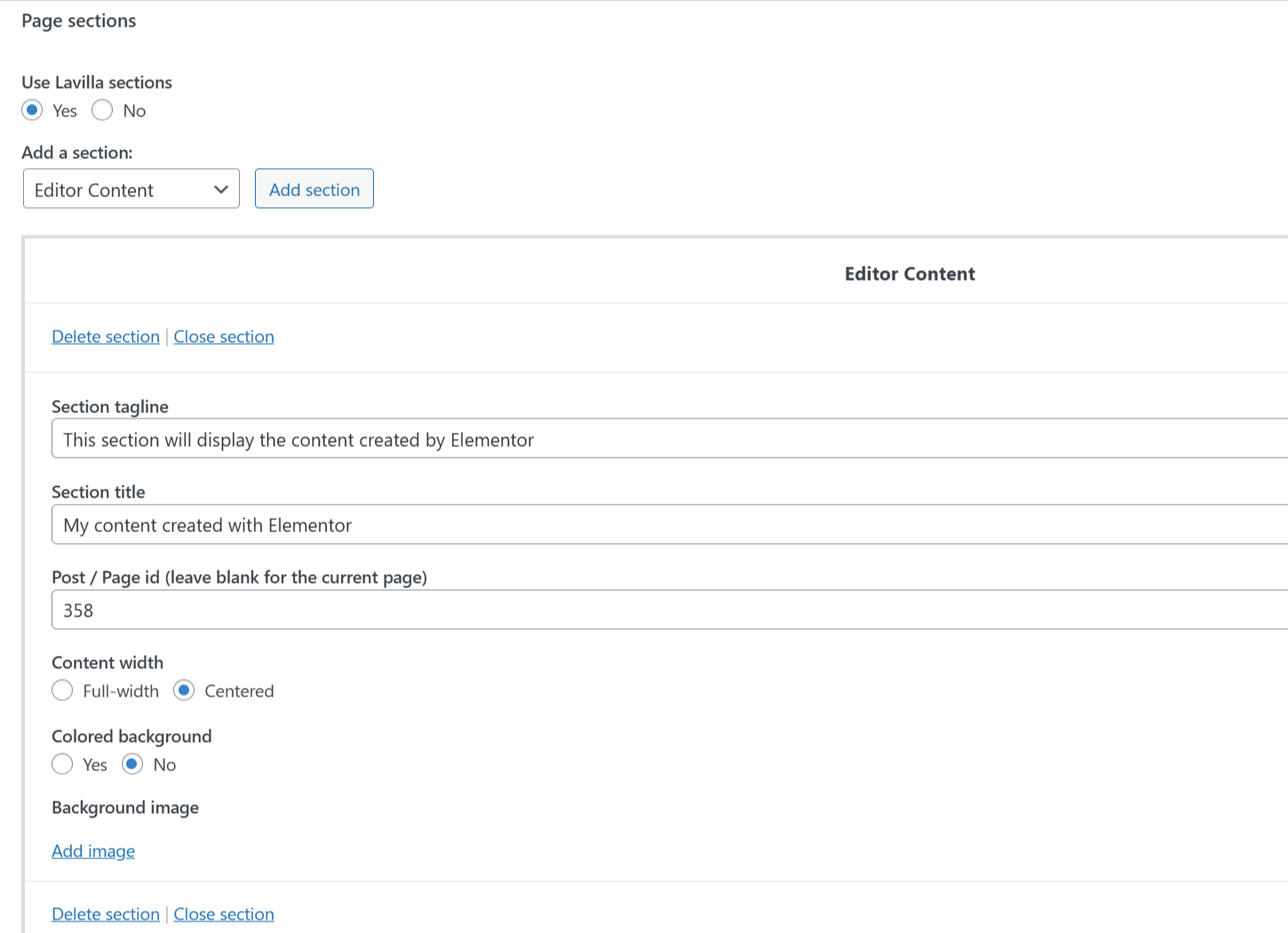
Create your content with Elementor in a new Page or Post for which you will set “Use Lavilla sections” to “No”. Take note of the Page ID.
-
Back on your page built with Lavilla sections, add the “Editor content” section. You will indicate the ID of the Post/Page ID where your Elementor content is.
You can check this article from our knowledge base to find the Page or Post ID.