
Using WordPress Gutenberg editor blocks with our themes
You can use WordPress Gutenberg with Adomus or Lavilla, and it will not conflict. To create a page with Adomus or Lavilla sections, set “Use Adomus sections”/“Use Lavilla sections” to “Yes”.
Step by step to insert WordPress Gutenberg content
If you would like to insert content build with WordPress Gutenberg editor blocks, you will use the section “Editor content”. Please note that you can only add this section once per page.
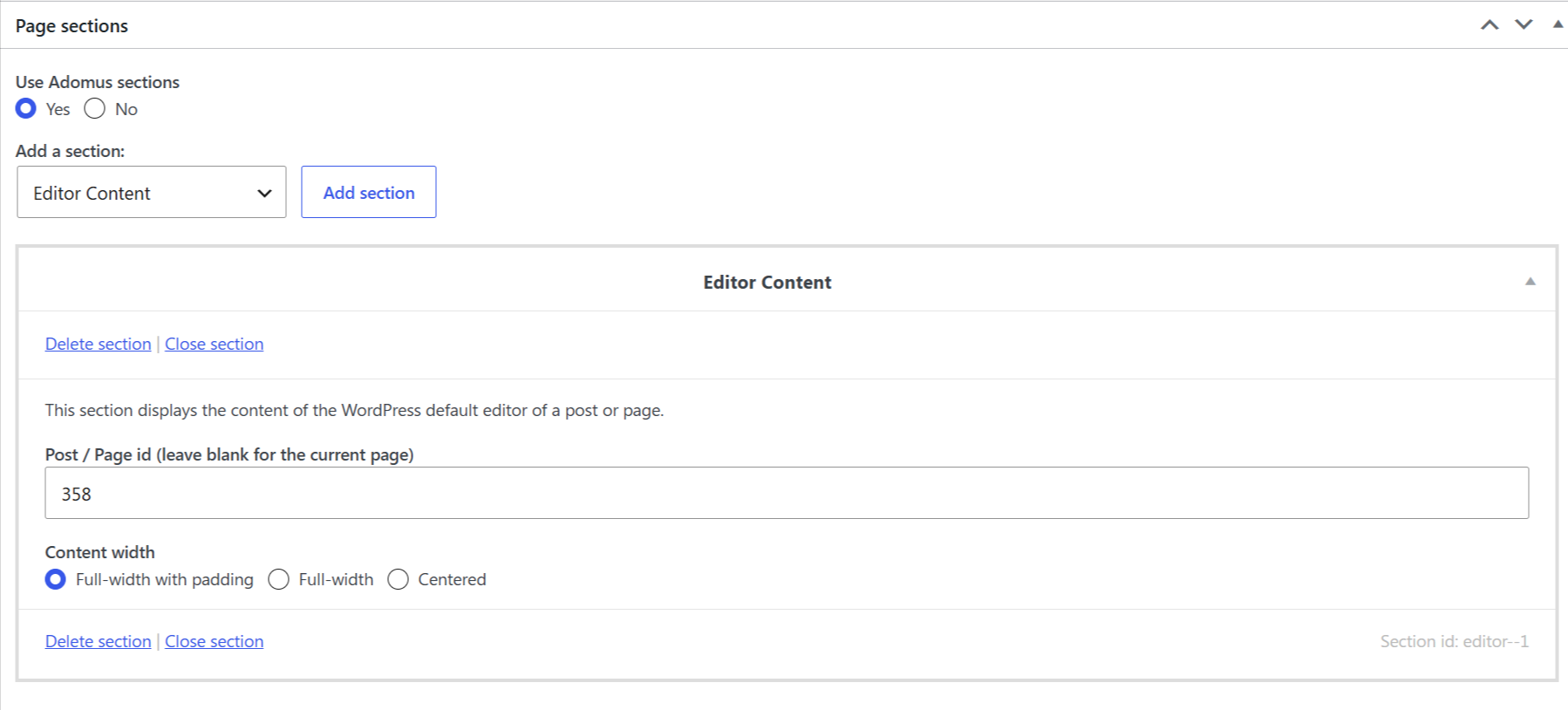
With Adomus:
You can display the content of a different page built with WordPress Gutenberg.
-
Create your content with WordPress Gutenberg in a new Page or Post for which you will set “Use Adomus sections” to “No”. Take note of the Page ID.
-
Back on your page built with Adomus sections, add the “Editor content” section. You will indicate the ID of the Post/Page ID where your WordPress Gutenberg content is.
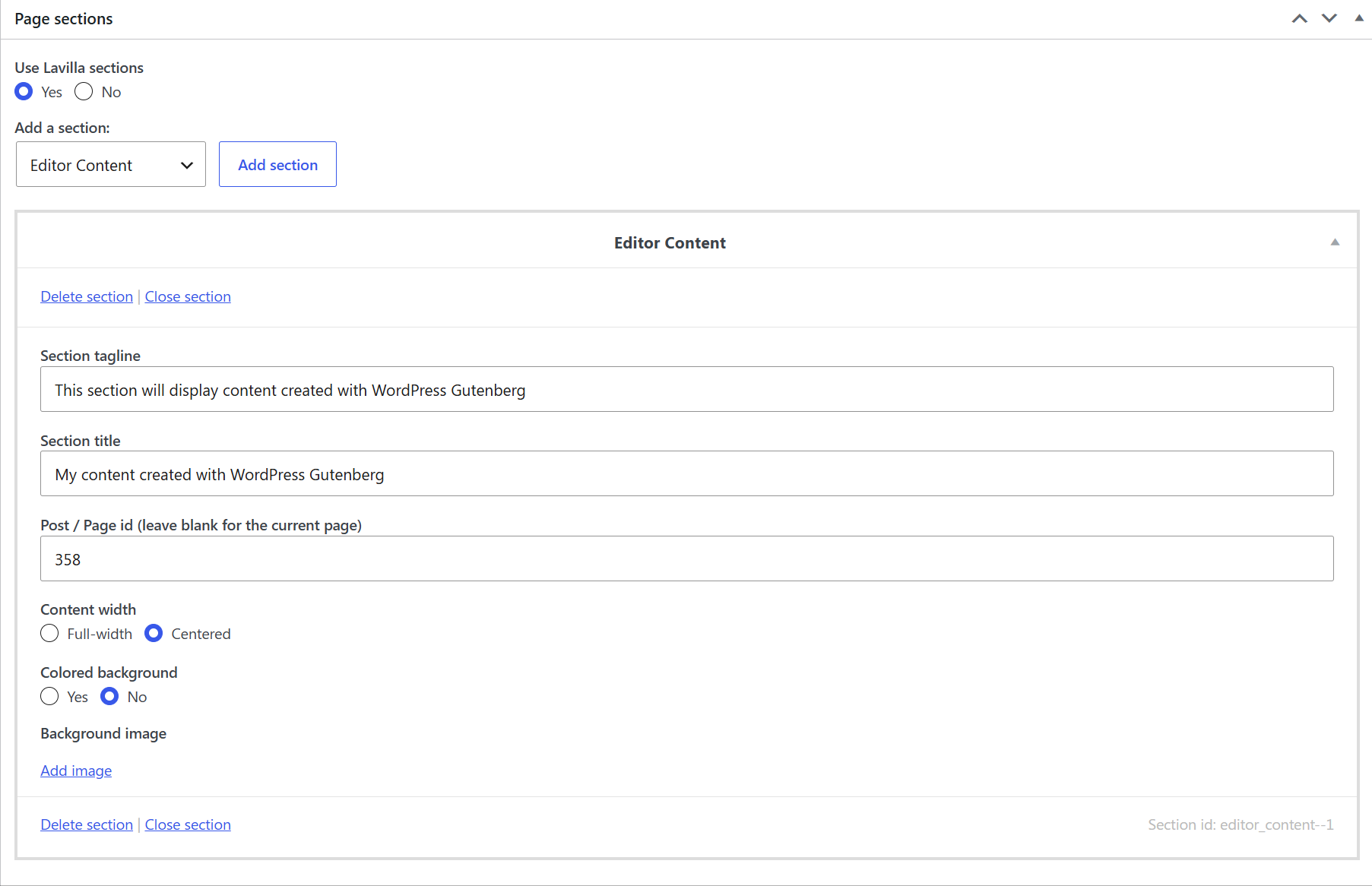
With Lavilla:
You can display the content of a different page built with WordPress Gutenberg.
-
Create your content with WordPress Gutenberg in a new Page or Post for which you will set “Use Lavilla sections” to “No”. Take note of the Page ID.
-
Back on your page built with Lavilla sections, add the “Editor content” section. You will indicate the ID of the Post/Page ID where your WordPress Gutenberg content is.
You can check this article from our knowledge base to find the Page or Post ID.