
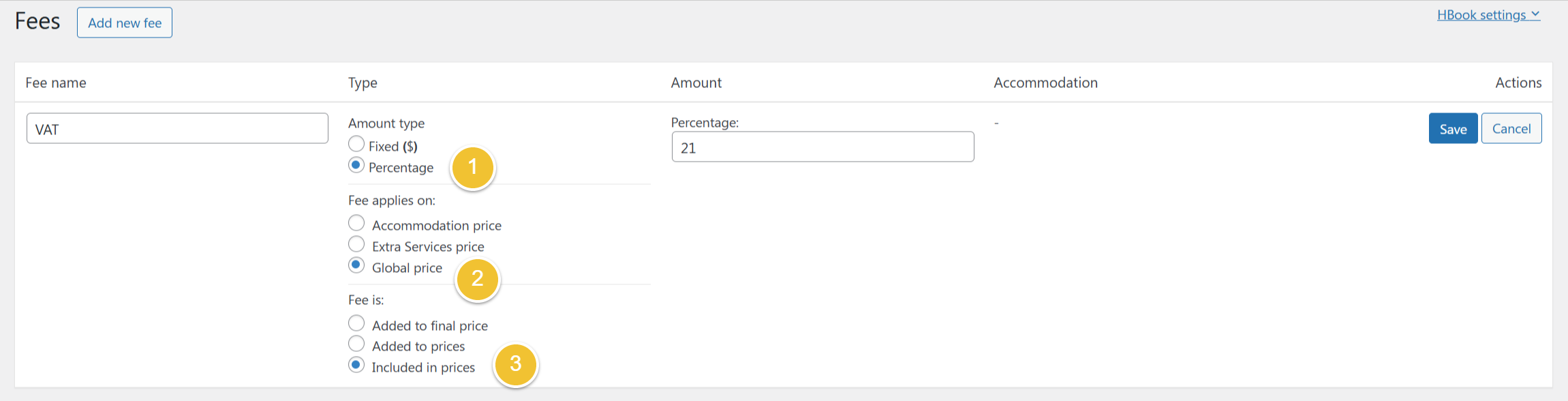
It is possible to add a VAT tax to be shown in your prices by following these steps in HBook > Fees:
-
Create a fee with a percentage amount
-
Set that is applied to global prices
-
Set that it is included in prices
Then, it will show the VAT in the price breakdown on the front end as well as in the invoice table. Please note that this will be applied only for future reservations received.