
By enabling Guest Checkout within your PayPal account settings, buyers will have the option to check out using a debit or credit card without the need for a PayPal account login.
Before you can enable Guest Checkout in Express Checkout, you must meet the following requirements:
-
Have a confirmed email address.
-
Verify your PayPal account.
-
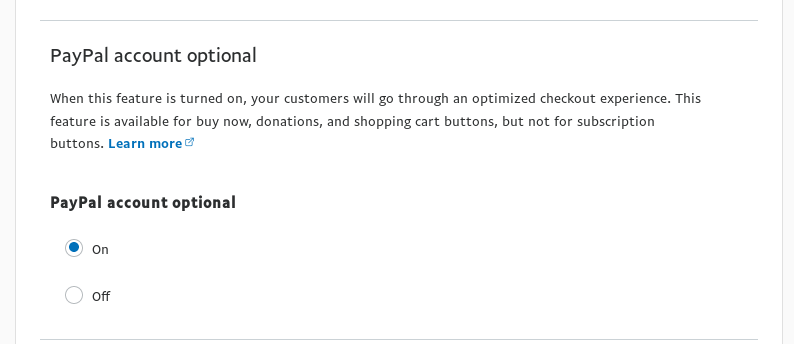
Set PayPal Account Optional to On within your PayPal settings
Enabling the PayPal Account Optional Setting
-
Click here to log in to your PayPal Account
-
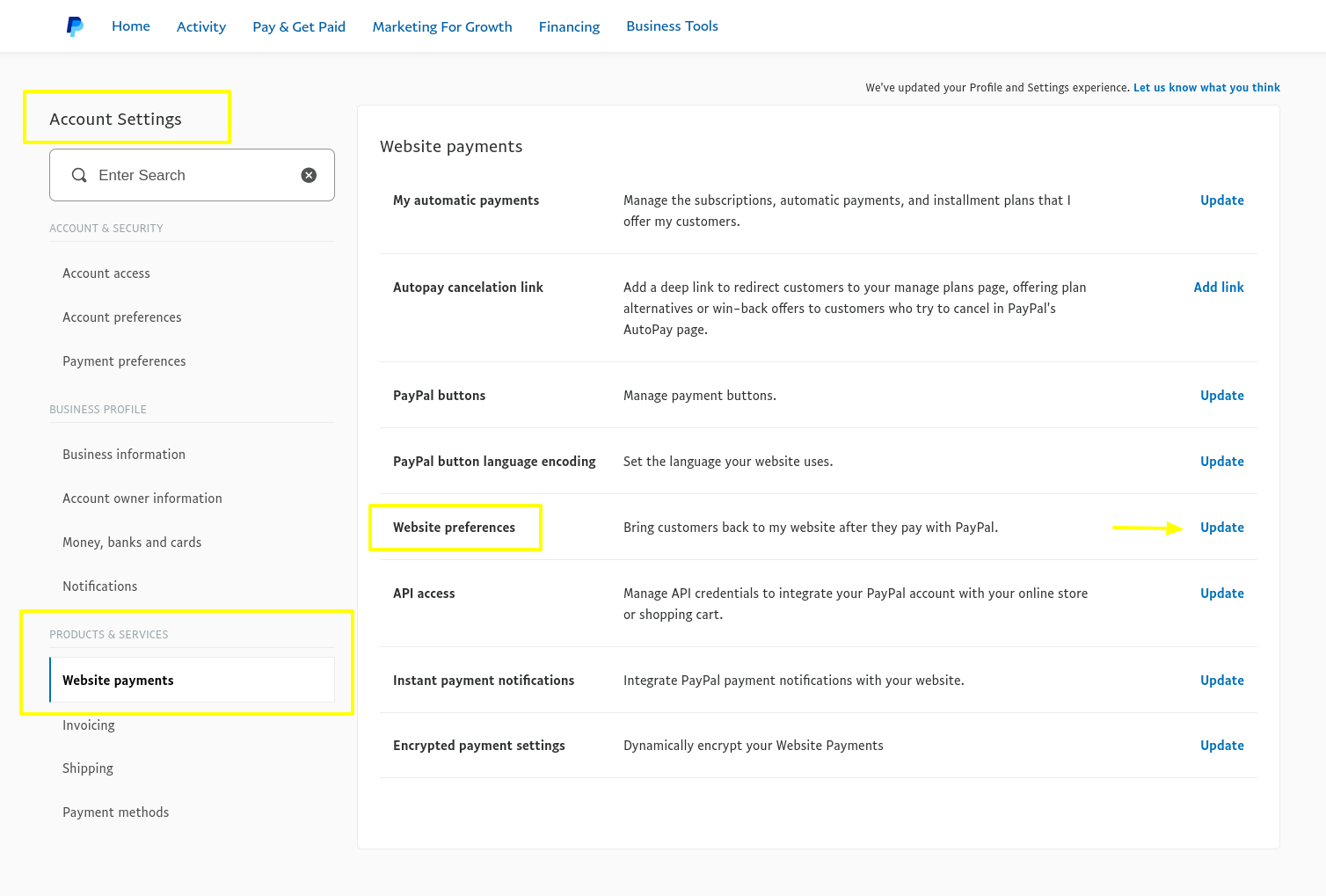
Go to your Accounts settings (from the top-right drop down menu)
-
Look for Website payments in the left sidebar menu
-
Find Website preferences and click on “Update”
-
Select PayPal Account Optional
Check PayPal related articles
- Can I accept credit or debit card payments with PayPal?
- How to find my Live PayPal username, password and signature? Where can I find my PayPal API credentials?
- How to test payments with PayPal? What is Sandbox mode? How to create a Sandbox account?
- PayPal : Can a customer pay without a PayPal account?
- PayPal error: Security header is not valid
- Which type of PayPal account do I need?