
Holidu is the main platform that manages all connections and calendar synchronisations. Depending on your country, you might be using one of Holidu’s partner websites, such as CybEvasion for France, Clubrural or Spain Holiday for Spain, Ferienwohnungen.de, FincaMallorca.de, Lohospo.de for Germany…
Step by step to sync with Holidu.com both ways:
-
In HBook > iCal sync, click on “Get URL” and copy the URL given by HBook for that accommodation.
-
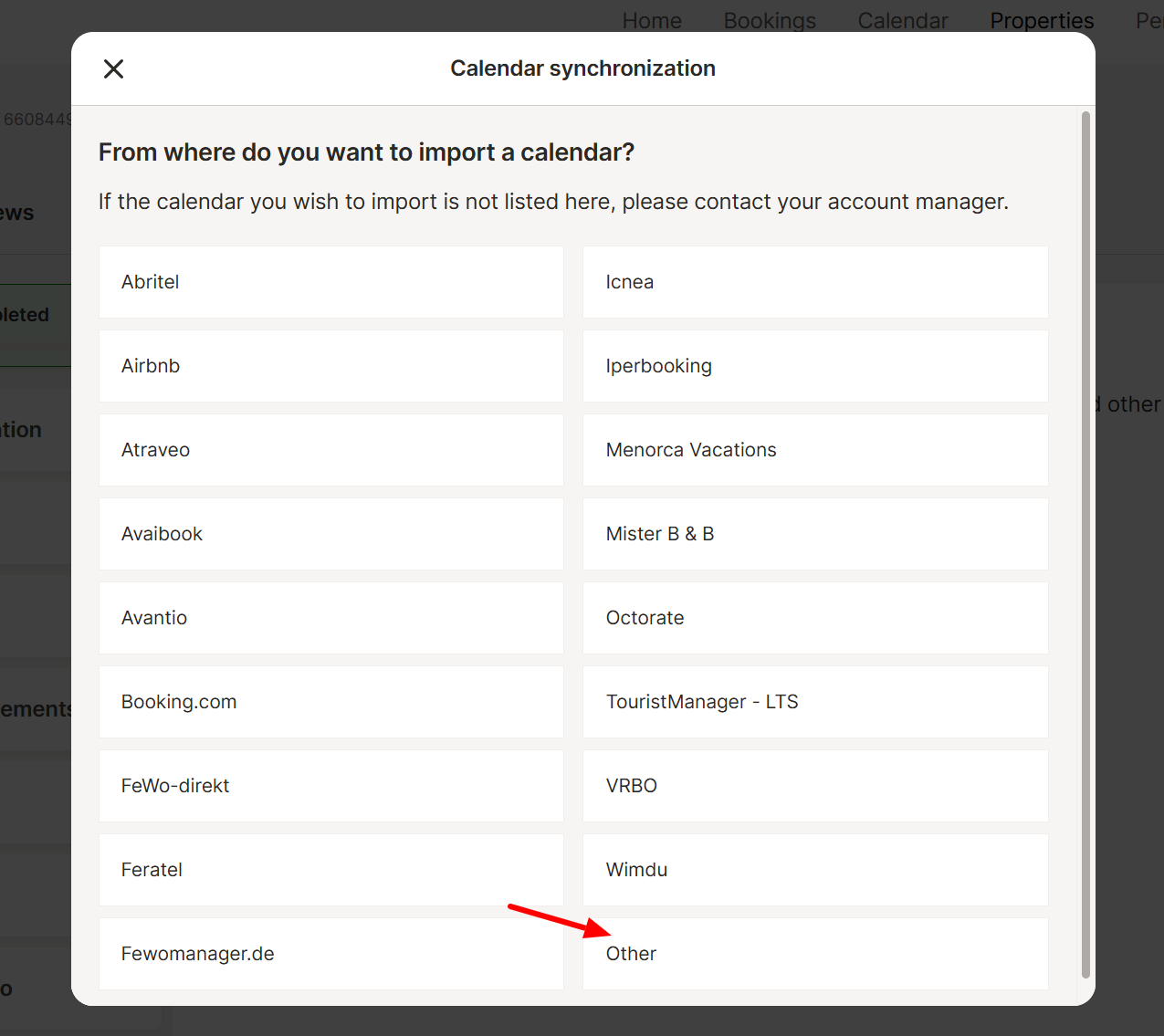
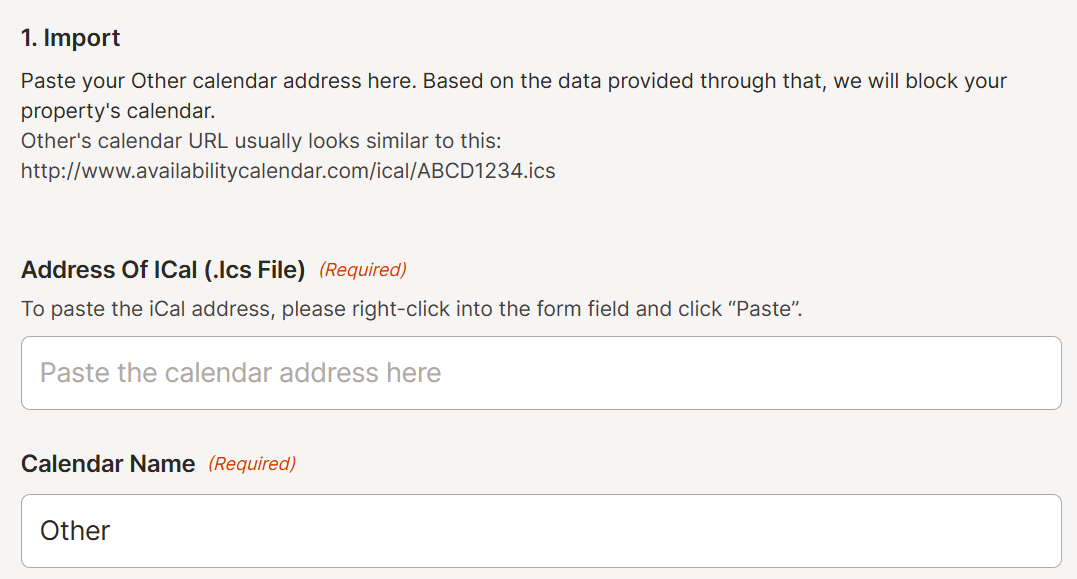
Once logged in to Holidu.com > Properties, in the configuration panel, find the iCal & synchronization section. Click on the “Configure” button. From the pop-up window, select “Other” from the list, then paste the HBook URL and enter a calendar name.
-
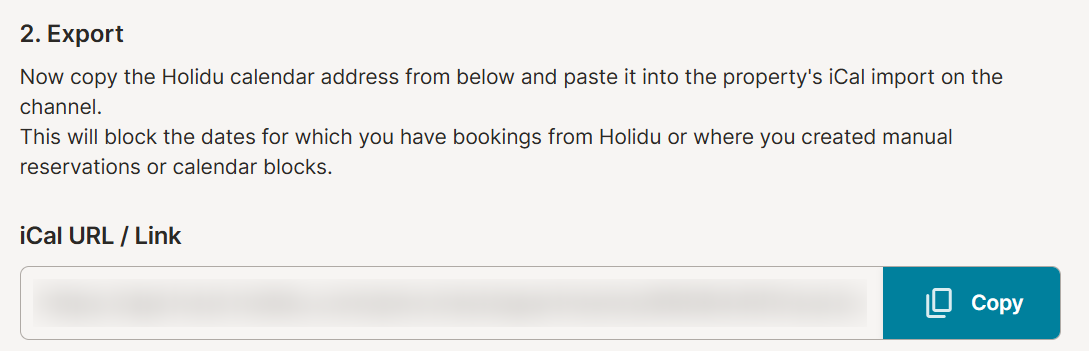
Now, still in the set-up window, copy the given iCal URL.
-
Back to HBook > iCal sync page, click on “New calendar”, enter a name for it (“Apartment 101 Holidu” for example), paste the URL and click on “Add”.
We highly recommend the following setting for the synchronization to work properly:
-
in HBook > iCal sync > Import settings, set “Exclude blocked dates from the import” to “Yes”.
-
in HBook > iCal sync > Export settings, set “Include blocked dates in the export” to “Yes”.
-
if you have any date that you need to block (for example, for painting work), please do so from HBook > Reservations > Block accommodation.